
Deploying high-quality AI audio enhancer tools has become an absolute necessity in a modern media industry where poor sound can completely destroy the performance of an otherwise perfect video production. Transitioning away from old, manual noise-gate processing allows digital creators, independent podcasters, and corporate video editors to instantly turn muddy recordings into broadcast-ready voice files.
- 5 Best High-Performance Web Hosting Platforms Reviewed (2026)
- Text to Video AI Tool Analysis: 13 Leading Engines Ranked by Free Value and Paid Power
- How to Download AI Video Generator Software: Step-by-Step 2026 Guide
- Best AI Voice Generator PC Tools: Local vs Cloud Engines Compared
- AI Voice Generator Realistic Architecture: How Modern Systems Mimic Human Emotion
Integrating modern AI audio enhancer tools directly into your post-production assembly line eliminates the need for expensive structural studio soundproofing. These cloud and desktop systems allow engineering teams to clean audio at scale while preserving the natural performance of the speaker.
CURRENT: 7 Best AI Audio Enhancer Tools Ranked: A Veteran Editor’s Forensic Comparison
Core processing benchmarks used to evaluate the industry’s best AI audio enhancer tools
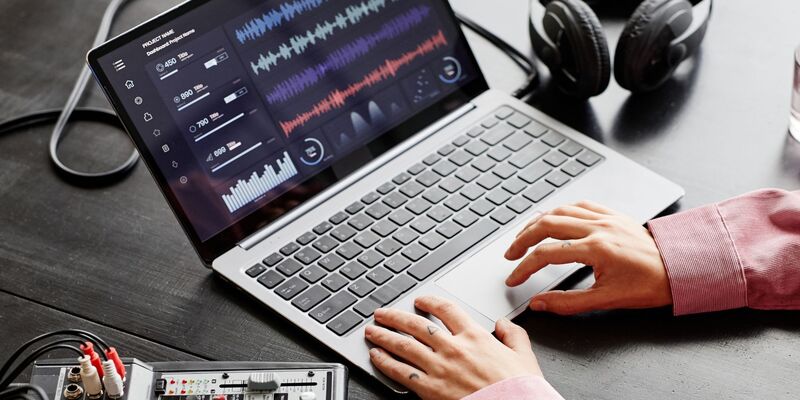
Many commercial AI audio enhancer tools claim to use deep learning, but only a handful can process multi-track timelines without introducing severe digital distortion or robotic vocal artifacts.
- Dynamic Room Reverb Suppression: The algorithm must isolate early room reflections, wet echoing patterns, and distant wall bounces without making the speaker’s voice sound thin or hollow.
- Intelligent Background Spectral Slicing: Top engines automatically identify and eliminate complex, non-stationary noises like street traffic, wind rumble, and computing fans while leaving human vocal frequencies completely untouched.
- Syllable Reconstruction Accuracy: High-tier audio models accurately patch broken words and missing consonants caused by sudden microphone dropouts or heavy digital wind distortion.
- Cross-Track Phase Alignment: Professional frameworks maintain absolute phase stability when merging cleaned vocal layers back into complex multi-track timelines.
Reviewing the 7 best AI audio enhancer tools dominating the post-production market
Selecting the perfect software suite requires analyzing how different developer models handle real-world microphone issues, wind hums, and ambient studio noise floors. The curated list below details the top seven platforms currently driving the multimedia production sector, ranked by their overall vocal recovery power and mechanical rendering speed.
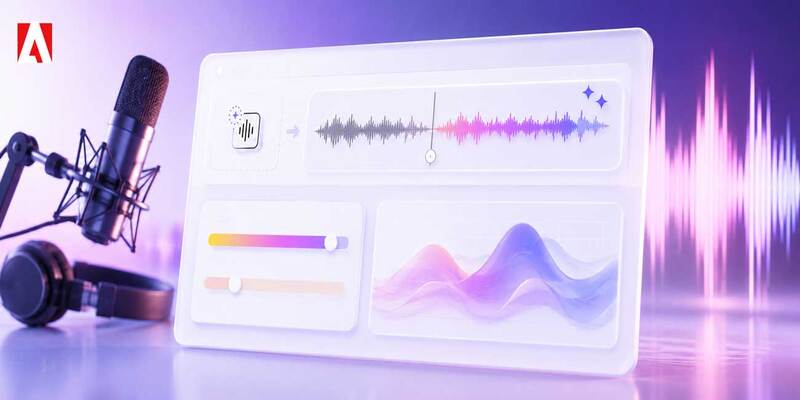
Adobe Podcast AI
This heavy-hitting speech restoration suite uses powerful deep-learning models to completely rebuild damaged dialogue tracks. It is specifically engineered to make rough smartphone recordings sound exactly like they were captured inside a treated broadcast studio.
Descript Studio Sound
READ MORE : Best AI Voice Generator PC Tools: Local vs Cloud Engines Compared
Built directly into a comprehensive text-based timeline editing platform, this system provides creators with simple, one-click dialogue optimization. Furthermore, feeding balanced voice tracks from here into a clean AI voice cloner workspace prevents digital synthetic glitches.
Auphonic
A staple in global podcasting networks, this intelligent web automation engine handles complex spectral leveling, loudness standardization, and background cleaning in a single automated rendering track.
Accentize VoiceGate
This specialized real-time plugin is highly favored by professional film editors because it runs locally on advanced neural network models. It offers exceptional real-time background attenuation without requiring cloud processing pipelines.
Waves Clarity Vx
Powered by cutting-edge neural network architectures, this studio plugin lets musicians and video editors remove heavy background distractions instantly with zero processing lag, making it perfect for live recording environments.
CrumplePop
This intuitive plugin family targets specific sound issues like wind hum, mic rustle, and electronic buzz using highly targeted neural networks. Its localized design keeps adjustments smooth and natural.
Supertone Clear
An innovative processing tool that splits sound components into three controllable channels: background ambient noise, room reverb tail, and raw human voice. It gives sound designers unmatched control over final track balances.
Comprehensive architectural comparison highlighting structural workflow differences
READ MORE : From Prompt to Export: Which AI Video Generator Free Tool Delivers the Best Raw Visual Quality?
Every major developer builds their sound restoration engine with distinct algorithms that change how a file is processed, rendered, and compressed. The comparative matrix below provides a clear, scannable overview of how these top seven platforms match up against each other in real studio environments.
| Software Engine Name | Primary Acoustic Strength | Ideal Technical Production Target | Local Plugin Support |
| Adobe Podcast AI | Total vocal reconstruction | Remote interviewers and solo creators | Cloud Web Portal Only |
| Descript Studio Sound | One-click dialogue polishing | Video podcasters and short-form editors | Native Desktop App |
| Auphonic | Loudness balancing and leveling | High-volume audio podcast networks | Web Portal and Desktop |
| Accentize VoiceGate | Localized post-production clearing | Professional film and television editors | VST3 / AU / AAX Plugins |
| Waves Clarity Vx | Real-time distraction removal | Music producers and live stream setups | VST3 / AU / AAX Plugins |
| CrumplePop | Targeted environmental fixing | Social media managers and indie filmmakers | VST3 / AU Premium Plugins |
| Supertone Clear | Three-channel separation control | Forensic sound designers and mixers | VST3 / AU Standalone |
Choosing between these specialized toolsets depends entirely on your studio layout. The independent evaluation team at Best AI Tools regularly emphasizes that matching the correct software model with your specific microphone setup is the fastest way to achieve clean audio. Testing different AI audio enhancer tools allows editors to discover which platform preserves natural vocal harmonics best under heavy acoustic strain.
Pricing distributions and operational budgets across premium AI audio enhancer tools
Navigating the financial structures of modern software suites requires balancing recurring software bills against total time saved during weekly editing cycles. Most professional AI audio enhancer tools offer flexible tiers designed for different levels of production demand:
- Free and Freemium Web Tiers: Platforms provide generous daily quotas for basic testing, but restrict long-term batch uploads, lock out custom multi-track outputs, and limit maximum file sizes.
- Monthly Subscription Models: Professional content creation suites bundle their advanced neural sound filters into flat monthly packages, making them highly predictable expenses for digital marketing teams.
- Per-Hour Processing Packages: Specialized systems utilize a flexible credit-hour payment model, which is perfectly optimized for seasonal creators who only deploy content occasionally.
- Perpetual Studio Licenses: High-end plugin suites require larger upfront payments for lifetime software access, saving money over time for commercial post-production houses.

Applying an automatic subtitle generator software directly to these processed files ensures that your localized subscription videos remain fully accessible to global audiences. Most cloud-based AI audio enhancer tools provide direct integration with these automated rendering tracks, saving your team hours of manual export workflows.
Matching specific digital audio projects with the ideal platform
To ensure your production pipeline maintains maximum efficiency, you must deploy the right tool for the right job rather than forcing a single software to handle every acoustic challenge. Selecting a targeted system prevents processing artifacts and keeps voices sounding natural. Many modern AI audio enhancer tools specialize in specific environments, meaning a plugin that fixes wind noise might not be ideal for removing heavy indoor room echo.
- Corporate Training Content: When processing long voiceover tracks, Descript Studio Sound provides the fastest path to clear narration without dynamic volume spikes.
- Outdoor Vlogging Footage: For tracking dialogue through unpredictable wind, deploying CrumplePop or Waves Clarity Vx ensures heavy environmental distractions are eliminated instantly.
- Multi-Guest Podcast Networks: Utilizing the automated balancing models within Auphonic allows small teams to achieve perfect loudness standardization across separate participant microphones with zero manual mixing.
- Cinematic Studio Production: For total control over complex room echoes and dialogue tone balances, the channel separation controls inside Supertone Clear or Accentize VoiceGate deliver pristine, theatre-ready audio.
Integrating a specialized AI audio enhancer tools suite into your workflow removes the stress of poor recording environments and guarantees your audience stays focused on your message. When your final narration tracks are crisp, you can safely inject an AI music generator to layer beautiful ambient backdrops behind your dialogue without drowning out the speaker. If you are operating on a tight budget, running a separate AI music free soundscape engine will achieve the same professional result.
SOURCE: https://bestaitools.reviews
CATEGORY: AI Video