
The emergence of generative artificial intelligence has fundamentally transformed the modern landscape of digital asset creation and graphic design. By implementing advanced text to image AI systems, creators can bypass traditional canvas limitations and construct intricate visual assets through linguistic commands.
- Engineering AI Art Generator Prompts for Photorealistic Fashion and Textile Design
- 5 Best Free AI Image Software Options for Local PC Deployment
- Breaking Down the Top AI Automation Software Download Options for PC
- 11 Best AI Animation Tool Free Platforms for Professional Creators (2026 Ultimate Rank)
- Demystifying AI Graphic Design Tools: Architectural Mechanics, Pros, Cons, and Workflows
These machine learning models parse descriptive language, map semantic concepts onto latent noise spaces, and iteratively refine pixels into ultra-high-resolution artwork. Transitioning from basic text inputs to predictable, production-ready artistic output requires a deep technical understanding of prompt engineering and platform-specific rendering mechanics.
CURRENT: Text to Image AI – A Complete Technical Tutorial on Multi-Platform Digital Art Generation
[Raw Text Prompt] —> [Natural Language Processing] —> [Latent Diffusion Noise Removal] —> [Final Image Output]
Constructing an efficient, studio-grade creative workflow demands that you control the underlying parameters that govern generative algorithms. This detailed technical tutorial guides you through the exact operational processes required to master multi-platform art generation. Whether you are building commercial marketing assets or fine-tuning concept art, this guide establishes a rigorous framework for your creative pipeline.
Deconstructing the core architecture of text to image AI systems
READ MORE : 9 Top AI Photo Editors to Maximize Your Product Asset Conversions
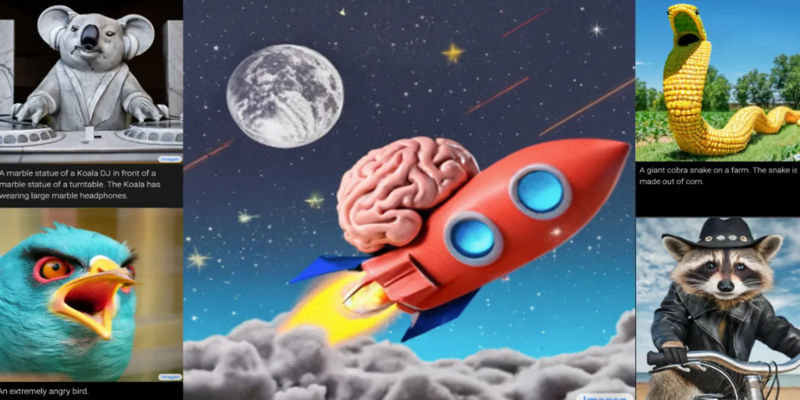
To generate high-quality visual assets consistently, you must first understand how a modern text to image AI engine processes human language. These platforms do not simply copy and paste existing internet graphics together to form a collage. Instead, they utilize deep neural networks to translate text strings into mathematical coordinate vectors within a multi-dimensional latent space.
- Text Encoders: Complex language models analyze your descriptive inputs, identifying key subject matter, style attributes, and emotional tones.
- Diffusion Process: The generator starts with a completely random field of digital pixel noise and systematically removes grain based on text data guidance.
- Decoder Networks: Once the computational latent rendering is finalized, a specialized decoder upscales the mathematical map into a clean, viewable graphic file.
When you interact with a premium text to image AI application, your text commands act as strict guidance vectors through these processing layers. If your text inputs are vague or lack structured modifiers, the diffusion process will rely heavily on random seed data, leading to unpredictable results. Mastering this technology requires treating your descriptive inputs as precise code instructions rather than casual sentences.
Step-by-step framework to configure text to image AI parameters for flawless outputs
Achieving predictable visual coherence across different platforms requires an exact step-by-step approach to adjusting your backend setting options. Follow this operational sequence to establish total control over your digital rendering outputs:
- Initialize Your Aspect Ratio Parameters: Always define your final canvas shape before writing your core prompt text by appending specific suffix variables like –ar 16:9 or –ar 4:5 to prevent awkward cropping.
- Set the Structural Model Version: Select the optimal software engine release version inside your active platform settings, matching the specific style requirements of your project.
- Adjust the Guidance Scale Values: Calibrate the Classifier-Free Guidance (CFG) scale slider to control how strictly the algorithm adheres to your specific descriptive wording.
- Inject a Custom Seed Number: Lock in a fixed multi-digit random number value to freeze the initial noise canvas configuration, allowing you to run iterative adjustments safely.
By enforcing this sequence, you isolate your creative tests from unexpected software variations. A disciplined text to image AI workflow ensures that every single variable modification yields clear, observable stylistic differences on the canvas.
Comparative engineering across leading text to image AI generative models
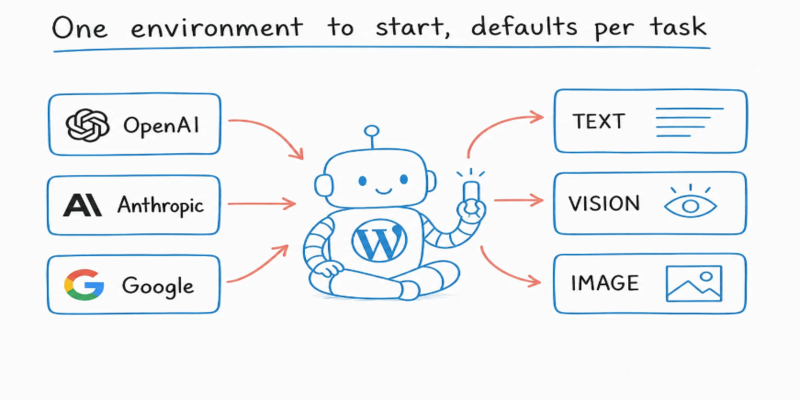
Selecting the correct model infrastructure is critical because different generation engines favor distinct artistic disciplines, rendering speeds, and interface setups. The analytical matrix below details the technical capabilities of the premier image generators available to modern digital artists.
| Generative Engine Name | Primary Artistic Strength | Ideal CFG Range | Custom Parameter Support |
| Midjourney | Hyper-realistic textures and highly artistic cinematic lighting | 5.0 to 8.0 | Strong native suffix code variables |
| Stable Diffusion | Complete open-source control and localized model fine-tuning | 7.0 to 11.0 | Extensive extension and plugin infrastructure |
| DALL-E 3 | Complex prompt tracking and perfect text rendering inside images | Default Managed | Automated internal text optimization |
| Adobe Firefly | Commercial safety compliance and graphic design integration | Contextual | Direct desktop tool workspace integration |
READ MORE : Demystifying AI Graphic Design Tools: Architectural Mechanics, Pros, Cons, and Workflows
When exploring these separate systems, professional designers evaluate how easily a platform fits into existing asset workflows. At Best AI Tools, we consistently highlight that choosing an engine involves balancing immediate rendering speed against custom control flexibility. For rapid conceptual brainstorming sessions, cloud-managed services offer incredible speed, while open-source offline architectures give you absolute pixel control.
Advanced modification pipelines to refine text to image AI generations
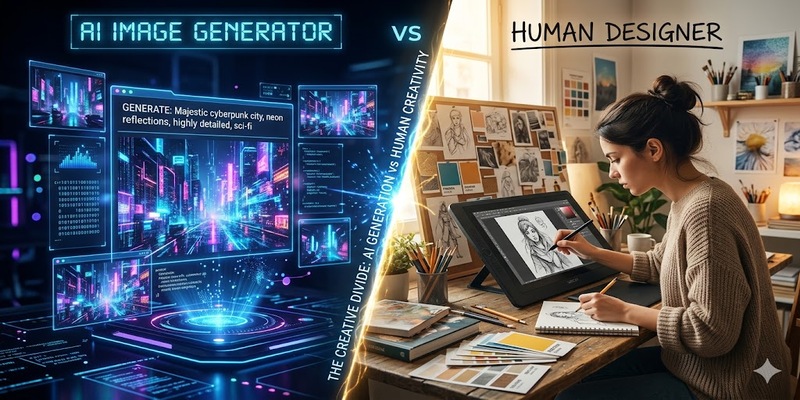
The initial output from your chosen text to image AI pipeline should rarely be treated as the final commercial product. To meet professional studio standards, you must deploy secondary optimization techniques like inpainting, outpainting, and negative prompt balancing to correct small artifacts.
- Deploy Negative Prompt Structuring: Explicitly list undesirable visual elements such as deformed geometry or blurry textures within a dedicated negative field to clean up the generation.
- Utilize Precision Inpainting: Highlight localized isolated regions of a generated picture to selectively redesign specific elements without disturbing the overall composition.
- Extend Canvas Bounds with Outpainting: Expand the native borders of your existing artwork outward to create wide panoramic background plates while maintaining stylistic consistency.
- Enforce ControlNet Frameworks: Use external reference sketches or depth maps to force the generative algorithm to follow strict structural poses or geometric shapes.
These multi-layered optimization workflows isolate specific structural regions, giving you complete artistic control over the generative process. Using these tools lets you transform an experimental canvas into a highly professional asset ready for real-world publication.
Maintaining creative consistency over long-term production cycles
Building a coherent visual portfolio using text to image AI infrastructure requires a deep commitment to systematic asset tracking. As these models evolve, keeping an organized database of your successful seed values, prompt formats, and configuration settings becomes your primary intellectual property.
Never rely on a single prompt string to carry an entire brand campaign or design project across separate timelines. By blending structured prompt engineering with rigorous parameter calibration, you turn unpredictable generative systems into an automated design machine that consistently delivers premium visual assets.
SOURCE: https://bestaitools.reviews
CATEGORY: AI Design